



Troubleshooting
One earbud not working is the most common problem with true wireless earbuds. Usually the earbuds are fine: one bud has not charged, has lost its link with the other, or has a blocked speaker grille. This guide walks you through the fixes in order, from the quickest to a full reset, so you can get stereo sound back without a repair shop.
8fixes to try
5 minfor most fixes
1reset solves many cases
In this guide
🔋
First check that both earbuds are charging in the case.
🔗
Many TWS earbuds have a main and a secondary bud.
🧼
A blocked grille can sound like a dead earbud.
01Why one earbud stops working
True wireless earbuds usually work as a pair: your phone connects to one bud, which then passes audio to the other. If that link breaks, or one bud is out of charge, you hear sound from only one side. Dust, a weak charging contact or a confused pairing record are the usual causes.
02One earbud not working? 8 fixes, in order
1. Check the charge
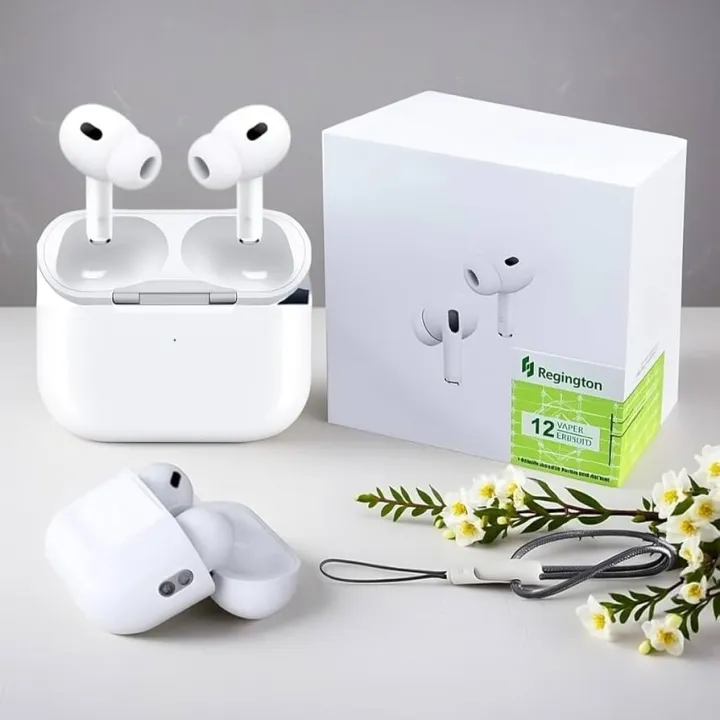
Put both earbuds in the case and look for the charging lights. If one does not light up, it may not be touching the contacts. Take it out, wipe the metal contacts on the bud and inside the case with a dry cotton bud, and place it back firmly.
2. Check the case battery
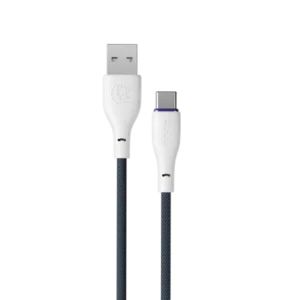
If the case itself is empty, the buds cannot charge. Charge the case for at least 30 minutes with a good cable, such as the Ronin R-2025 Type-C or R-2025 Micro USB depending on your case.
3. Put both buds back in the case and take them out together
This often re-links the pair. Close the lid, wait ten seconds, then remove both earbuds at the same time.
4. Check the phone’s balance setting
Phones have an audio balance slider in accessibility settings. If it is pushed to one side, one earbud may sound silent. Set it back to the centre.
5. Clean the speaker grille
Ear wax and dust can block the mesh, making a bud sound very quiet. Remove the ear tip and gently brush the grille with a soft, dry toothbrush. Do not push liquid inside.
6. Forget and re-pair
On your phone, open Bluetooth settings and choose “Forget” for the earbuds. Turn Bluetooth off and on, then pair again. If you see two entries, such as “Earbuds-L” and “Earbuds-R”, forget both and connect only to the main name.
7. Reset the earbuds
Most earbuds have a reset sequence, such as holding the touch areas on both buds for several seconds while out of the case, or pressing a button on the case. Check the manual for your model. Resetting clears the pairing between the buds.
8. Test with another phone
If the problem continues on a second phone, the earbud may have a hardware fault. If the earbuds are under warranty, contact the seller.
💡
Separate pairing is a common trap. If you accidentally pair the left and right buds to your phone separately, they stop working as a pair. Forgetting both and resetting usually fixes it.
03Re-pairing step by step
Forgetearbuds in Bluetooth
→
Resetusing the model’s method
→
Pairthe main name only
For more detail, see our Bluetooth setup guide.
04Preventing the problem
- Always put both buds back in the case after use.
- Keep the case charged so the buds are never left empty.
- Clean contacts and grilles weekly.
- Avoid pulling the earbuds out of your ears by their stems while music is playing on high volume.
Charging lightsBoth on in the case
ContactsClean and dry
Case batteryCharged
BalanceCentred
PairingMain name only
GrilleClear of wax
⚠️
Do not open the earbud. Opening the shell usually breaks the seal and voids the warranty. If none of the fixes work, ask the seller about a check or replacement.
For how the connection works, see the Bluetooth article on Wikipedia.
Key takeaway
When one earbud is not working, start with the simple fixes: clean the charging contacts, charge the case, then re-pair and reset. Most left or right earbud problems are solved without any repair.
🛒Shop the products in this guide
-
Earbuds
AIR 31 Wireless Earbuds with Transparent Case
Original price was: ₨ 1,490.₨ 1,199Current price is: ₨ 1,199. Add to cart -
Earbuds
M10 True Wireless Earbuds with Power Display
Original price was: ₨ 1,899.₨ 1,399Current price is: ₨ 1,399. Add to cart -
Chargers & Cables
Ronin Flexin R-2025 Type-C Cable (3A Fast Charging)
Original price was: ₨ 1,135.₨ 795Current price is: ₨ 795. Add to cart -
Earbuds
TWS Pro 2 Wireless Earbuds (White)
Original price was: ₨ 1,799.₨ 1,499Current price is: ₨ 1,499. Add to cart
05Frequently asked questions
Why is only my right earbud working?
It is often the main bud. The left one may be uncharged, dirty at the contacts or unlinked. Clean the contacts and reset the pair.
How do I reset TWS earbuds?
Methods vary by model. Common ways are holding both touch areas for several seconds or pressing a case button. Check the manual.
Can I use one earbud alone?
Many earbuds support single-bud use, usually with the main bud. Some models let either bud work alone.
Why is one earbud quieter than the other?
Usually a blocked grille or the phone’s balance setting. Clean the grille gently and centre the balance.

Device Care & Maintenance

Why Is My Phone Charging Slowly? 10 Causes and Simple Fixes
From lint in the port to the wrong charger, here are the most common reasons a phone charges slowly and how to fix each one in minutes.

Mobile Accessories
Power Banks With Built-in Cables: Pros, Cons and Who Should Buy One
Built-in cables mean no more forgotten wires, but they come with trade-offs. Here is how they compare with separate cables, and who they suit best.

Mobile Accessories
Headphones vs Earbuds: Which Should You Buy for Comfort, Sound and Price?
Over-ear headphones are comfortable for long sessions; earbuds are tiny and portable. A clear comparison to help students, workers and families choose.